If you are asking how do I send large video files securely, put them in an AES-256 encrypted archive (7Z if you also want the file names hidden), split it into parts sized for however you are sending them, upload the parts to a cloud folder or transfer service, and send the password through a different channel. That way, even if a link is forwarded or an account is breached, the footage stays unreadable.
Below: why compression won't make your clips much smaller, how to split and encrypt properly, the self-extracting archive question, and the mistakes that undo the whole effort.
Why won't zipping make my videos smaller?
Video, photos and PDFs are already compressed by their own formats. Putting a 6 GB MP4 into a ZIP or 7Z archive usually saves almost nothing, however high you set the compression level. So for video, an archive is a container for two other jobs: encryption and splitting. You can use the fastest "Store" level and lose nothing in size.
What are the email attachment size limits?
Email is the wrong tool for raw footage. A personal Gmail account can send attachments up to 25 MB, and Microsoft lists 20 MB for internet accounts such as Outlook.com; larger files get swapped for a cloud link or rejected. Business mailboxes are often lower. Even split into email-sized parts, a 6 GB clip would be hundreds of messages. Use email for small stills sets or contracts, and a cloud folder or transfer service for video.
| How you're sending | Sensible part size |
|---|---|
| Email (small sets only) | Below your provider's limit, e.g. under 20 MB |
| Cloud folder or transfer service | Whatever the service's single-file limit allows; parts of 1–4 GB make retries easier |
| USB stick formatted FAT32 | Under 4 GB, because FAT32 can't hold larger single files |
How do I split a large file into smaller parts?
Splitting turns one big archive into numbered volumes (.7z.001, .7z.002 and so on). It helps when a service caps file sizes, when uploads keep failing on a slow connection, or when you hand over footage on a FAT32 stick. Your collaborator needs every part, with the original names, in the same folder to extract it.
If you only need to cut a video to fit an upload limit on a platform, that is a different job; see our guide on how to split a large video for upload limits.
Encrypting the archive and hiding the file names
Use AES-256 encryption, the strong option in both ZIP and 7Z. The difference that matters for creators is file names. A standard encrypted ZIP still shows the names of the files inside to anyone who opens it without the password. If your file names contain a set name, a collaborator's name or a location, that is information you didn't mean to share. The 7Z format can encrypt the file names too, so without the password nobody sees anything at all.
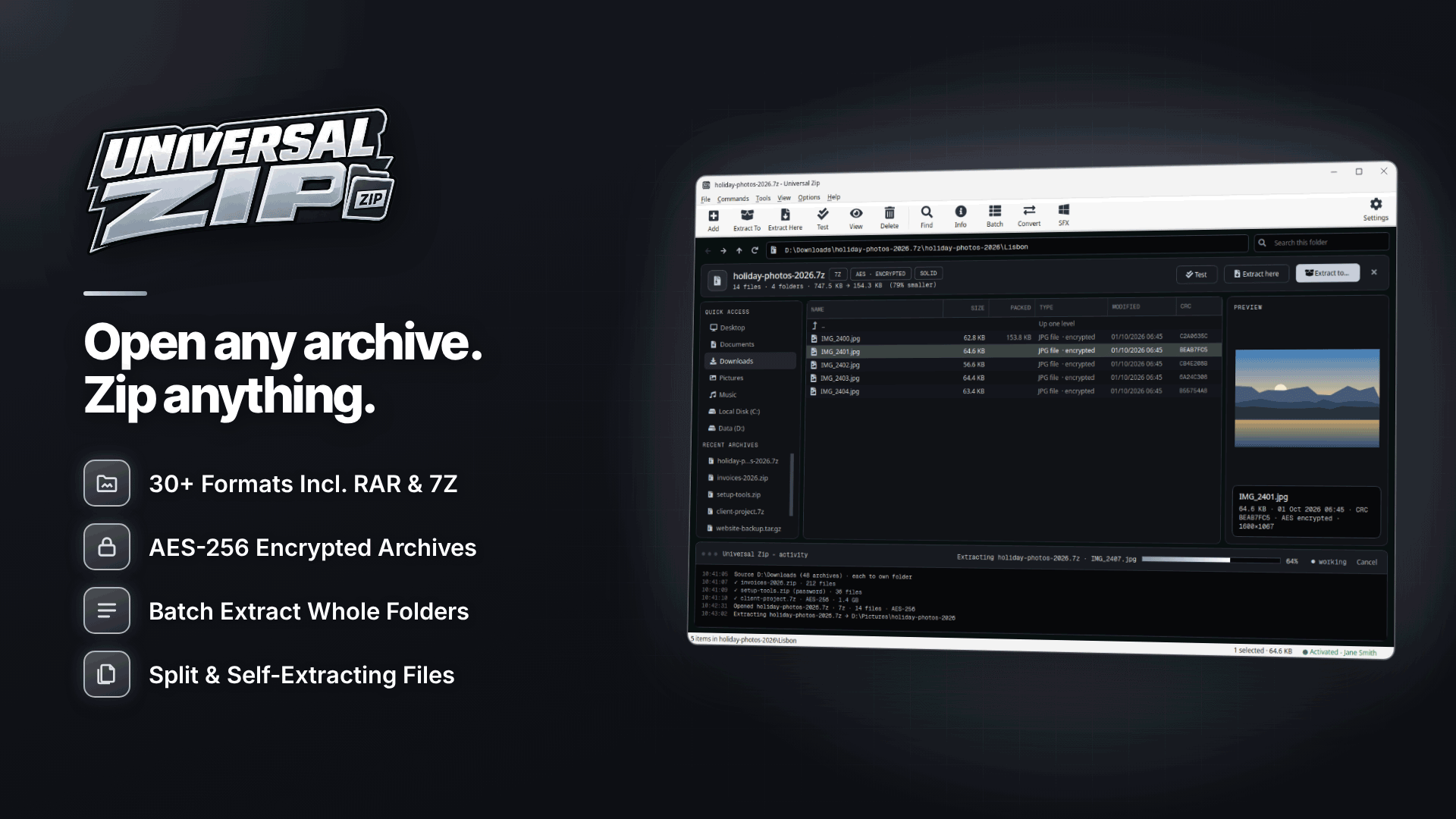
On Windows, Universal Zip does both jobs in one step. It creates ZIP and 7Z archives with AES-256 encryption and an option to hide file names in 7Z, and splits them into numbered volumes of a custom size or a preset (email, CD, USB 4 GB FAT32, DVD and Blu-ray). One password covers every part. Universal Zip's password manager stores the passwords you use often, encrypted under your Windows account, which is handy if you send to the same editor every week.
- Select the clips in Explorer, right-click and choose Add to archive.
- Choose 7Z, set compression to Store or a low level (video won't shrink much anyway).
- Turn on encryption, enter a long passphrase and tick the option to hide file names.
- Choose a split size that suits your upload service or drive.
- Run an integrity test on the finished archive before you upload it.
Don't lose the password. AES-256 archives can't be opened without it, and a lost password can't be recovered by anyone. Store it in a password manager, not in the same folder as the archive.
Will my collaborator be able to open it?
This is where most transfers stall. Windows' built-in ZIP folders can't open AES-encrypted ZIP files, so your recipient needs an archive program that supports AES-256 ZIP or 7Z, or you send a self-extracting archive.
A self-extracting EXE (created from 7Z) opens on any Windows PC without extra software. The catch is that many email services and some corporate networks block .exe attachments, and some recipients are rightly wary of running an .exe from anyone. Self-extracting archives work best uploaded to a shared folder for someone who expects them; for Mac users, send a 7Z or AES ZIP and let them use their own archive tool.
Sending the password safely
Never send the password in the same email or chat as the link. Agree a channel in advance: a phone call, a message on a different app, or a password manager's sharing feature. For a regular collaborator, agree one passphrase per project and change it when the project ends or the working relationship does. Our guide to collaborating with other creators safely covers agreements and consent records to sort out before any footage changes hands.
Common mistakes to avoid
- Leaving revealing file names visible in an encrypted ZIP.
- Renaming split parts, or mixing parts from two different runs; they won't combine.
- Uploading to a link anyone can open, with no expiry, and never deleting it.
- Sending the only copy. Keep your originals backed up before anything leaves your machine.
Frequently asked questions
Is a password-protected ZIP secure enough?
With AES-256 and a long, unique passphrase, the contents are well protected. The weak points are a short password, visible file names and sending the password alongside the file.
Can I use the "Compress and email" option for video?
Only for small files. It needs a desktop email program rather than webmail, and attachment limits still apply, so use a cloud folder for footage.
Can my collaborator open it on a Mac?
Yes, with an archive app that supports 7Z or AES-encrypted ZIP. A Windows self-extracting EXE won't run on a Mac.
Next steps
Secure transfer is one part of keeping your identity and content safe; our privacy checklist for staying anonymous covers metadata and file names in more depth, and the creator backup plan makes sure you never send your only copy.
Next time you hand over a shoot, build a 7Z with hidden names and a sensible split size in Universal Zip, test it, then send the password by a separate route.