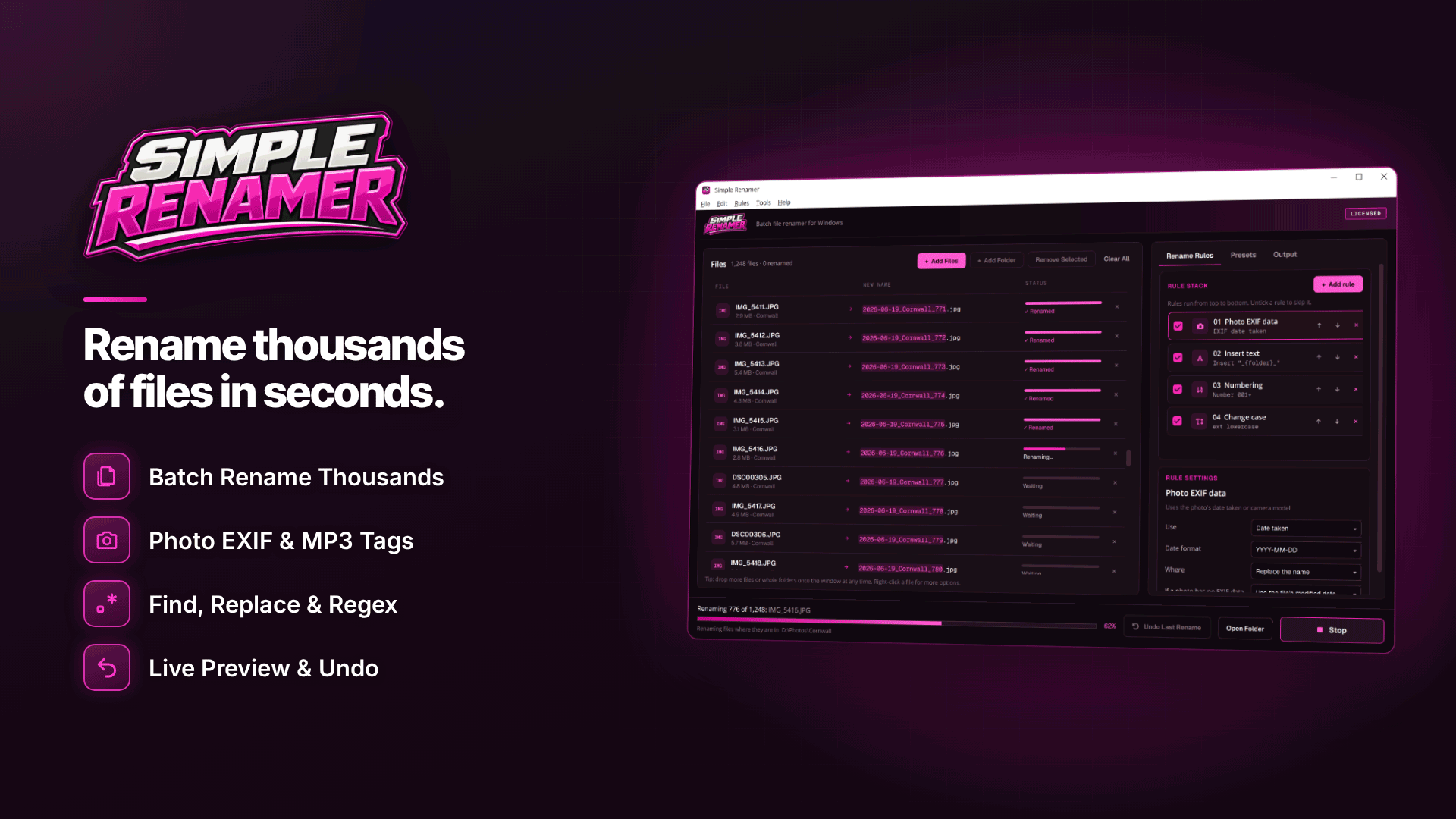
If you are wondering how can I rename photos by date taken, use a batch renamer that reads the "date taken" stored inside each photo's EXIF data and writes it into the file name in a YYYY-MM-DD format, followed by a set name and a number. Videos usually don't carry the same EXIF date, so for clips you use the file's created or modified date instead.
For creators juggling a phone, a camera and perhaps a second phone for behind-the-scenes content, this one change makes your archive sort itself. Below is a naming system that works, the pitfalls with dates, and a step-by-step way to apply it to thousands of files.
Why name content files by date?
Every device has its own idea of a file name: IMG_2041.HEIC, DSC09811.ARW, PXL_20260914_183022.mp4. Mix them in one folder and the order is meaningless. A date-first name fixes that:
- Files sort chronologically in any folder, on any computer, regardless of which device shot them.
- Scheduling gets easier because you can see at a glance what was shot when, which helps you plan releases in your content calendar.
- Backups are easier to check: if September 2026 is missing from your backup drive, you notice.
- Finding a set later takes seconds when the name includes both the date and what it was.
What is the best date format for file names?
Use year, month, day: YYYY-MM-DD, as in 2026-10-18. It is the international ISO 8601 order, it avoids the day-month confusion between UK and US formats, and it is the only common format that sorts correctly as plain text. Avoid slashes and colons, which Windows doesn't allow in file names.
A file naming convention for content creators
A pattern that scales well is date - set name - number:
| Before | After |
|---|---|
| IMG_2041.HEIC | 2026-09-14 - garden-set - 001.heic |
| DSC09811.ARW | 2026-09-14 - garden-set - 002.arw |
| PXL_20260914_183022.mp4 | 2026-09-14 - garden-set - clip-01.mp4 |
Add a time (HH-MM-SS) if you shoot several sets a day, and keep set names short and private. If you care about anonymity, don't put your legal name or location in file names that may end up shared with editors or platforms.
Which date should you trust?
Files carry several dates, and they don't always agree:
- EXIF date taken is written by the camera or phone into the photo itself and survives copying. It is the most reliable for photos, as long as the device clock was right.
- Modified date usually reflects when the file was last changed. For a clip straight off a card, it is often close to when recording finished.
- Created date on Windows is typically when the file arrived on that drive, so copying from a card can reset it to today.
Screenshots, edited exports and images downloaded from messaging apps often have no EXIF date at all. Check that your devices' clocks are set to the right time zone before a shoot, especially after travel.
How to rename photos and videos by date, step by step
Windows Explorer can rename a selection of files, but only to one name with (1), (2) and so on added. To rename files with dates in Windows you need a dedicated tool. Simple Renamer handles the whole job:
- Add the shoot folder, including sub-folders if each device has its own, and filter by file type if you want photos and videos handled separately.
- Add an EXIF rule for photos. It reads the date taken (and, if you want, the camera make and model) and offers nine date formats; choose the YYYY-MM-DD style.
- For video, use a file date rule based on the modified or created date, again in one of nine formats or a custom one.
- Insert the set name after the date with an insert-text rule.
- Add numbering with zero padding, sorted by EXIF date taken, so photos from several cameras interleave in true shooting order.
- Check the live preview. Every old and new name is shown, with duplicates and names Windows won't accept flagged and skipped rather than overwritten.
- Rename, or copy to a new folder to keep the originals untouched; sub-folder structure is kept either way.
In Simple Renamer, photos without EXIF data, such as screenshots, may fall back to the modified date or not change at all, so scan the preview for those rows. The undo history survives closing the program (50 batches by default), and if a batch fails partway it is restored automatically.
Save it once, use it every week. Save your rule stack as a preset (an .srpreset file). Next shoot, load the preset, change the set name and run it. If an assistant or editor prepares your files, share the preset so their names match yours.
Sorting photos from multiple cameras by date
When two devices cover the same shoot, their clocks are rarely in perfect sync. Before renaming, compare one shot that both captured at the same moment. If one device is a few minutes out, fix its clock for next time; for this shoot, accept slight misordering or keep each device's files in its own sub-folder with a short suffix such as -cam or -phone.
Common mistakes to avoid
- Renaming after editing. Exports from editing apps often lose the original date taken. Rename the raw files first, then name exports to match.
- Mixing date formats. Pick one format and stick to it; a folder with both 14-09-2026 and 2026-09-14 names sorts badly.
- Putting private details in names. Locations, real names or collaborators' names can leak when files are shared.
- Skipping the preview. A single wrong rule can rename a thousand files badly in one click; undo helps, but checking first is quicker.
Frequently asked questions
Can I rename video files by date taken?
Most video files don't store a date in the EXIF fields photos use, so renamers rely on the file's modified or created date instead. Rename clips before copying them around, while those dates still reflect the shoot.
Will renaming affect the photo itself?
No. Renaming changes only the file name. The image, its quality and its embedded metadata are untouched, and extensions only change if you add a rule for it.
Does it work on HEIC and RAW files?
Date-taken rules need photos that carry EXIF data. Files straight from phones and cameras usually do, but preview a sample of your HEIC or RAW files first and check for any rows that come up blank before you rename the whole folder.
Next steps
A consistent archive is the foundation for safe storage. Once your files are named by date, follow our backup strategy for content creators and the wider OnlyFans backup plan. If you add watermarks before posting, see our guide to watermarking content without ruining it.
Start with this week's shoot: build the date, set name and number rules once, save them as a preset and let Simple Renamer apply them to every folder you offload from now on.