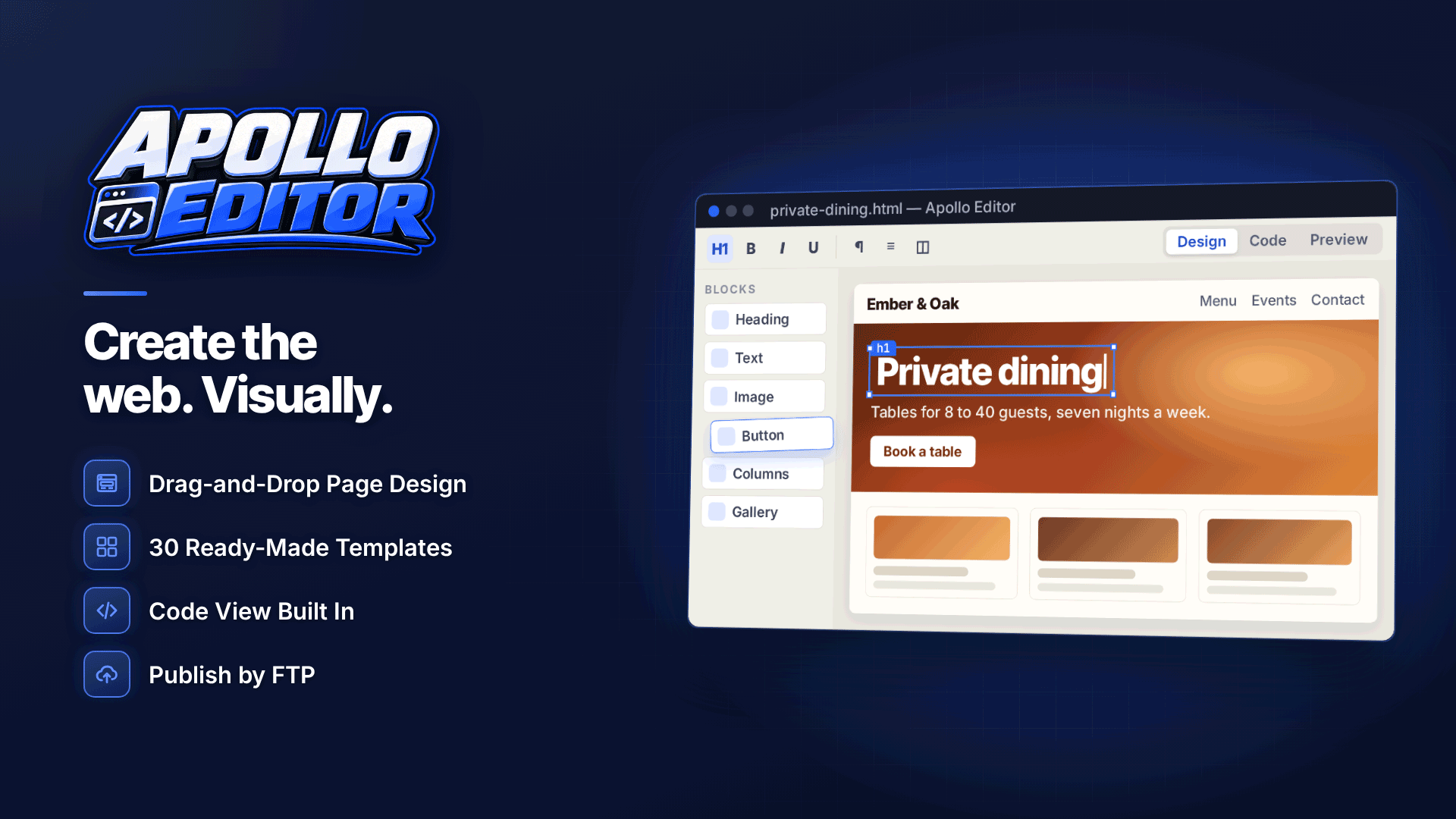
The best WYSIWYG HTML editor for Windows is the one that lets you edit existing pages visually without wrecking the code, and handles the site-wide jobs that make static sites painful: renaming pages, fixing broken links, updating shared headers and publishing changes. Apollo Editor is an offline Windows desktop editor built around exactly those jobs, combining word-processor-style editing with full code access and FTP, FTPS or SFTP publishing.
Plenty of affiliates still run static HTML: review sites, niche landing pages, link directories and old gallery sites that earn steadily and do not need a database. The trouble is maintenance. A change of programme, a new disclosure line or a renamed page can mean touching dozens of files. This review covers what the software does for that kind of webmaster, and where its limits are.
Who is it for?
It suits people who have built sites before and want a quicker visual workflow, designers and HTML authors who want visual speed without losing control of the code, and small businesses or clubs maintaining their own pages. For affiliates, the relevant fit is anyone with one or more static sites they edit themselves. It runs on Windows 10 and Windows 11 (64-bit only), works offline, and a licence covers one PC with as many sites as you like.
Design, Split, Code and Preview views
There are four ways to look at a page:
- Design: edit like a word processor, with fonts, bold, colours, alignment, lists, headings, buttons, forms, sections and anchors, plus formatted paste and undo.
- Split: the visual page and its HTML side by side, useful for checking that a link or attribute is what you expect.
- Code: a proper code editor with syntax highlighting, line numbers, folding, autocomplete, bracket matching, formatting and HTML and CSS validation.
- Preview: the page at desktop, tablet, phone or custom sizes, with untrusted scripts run sandboxed.
For anyone who has edited an affiliate table by hand, the table tools are worth a mention: insert or draw tables, add and remove rows and columns, merge and split cells, set borders and backgrounds, import tabular data or convert text into a table.
Can you edit an existing HTML website?
Yes, and this is the main reason to consider it over a hosted site builder. You can open any folder of HTML pages or import a website ZIP, and the editor keeps existing code where it can. There is no proprietary project format, so the files remain ordinary HTML that any other editor or host can use. Pages that are too complex to edit visually keep their original source, and JavaScript-heavy pages should be edited in Code view rather than Design view.
Site-wide tools: links, headers and search and replace
The Site Explorer in Apollo Editor lets you create, rename, move, duplicate and organise pages, stylesheets, scripts and images. When you rename or move a page it offers to update the links that point to it, which removes one of the most common causes of broken internal links on static sites.
Beyond that, the site-level tools include:
- Site-wide broken link checking, so you can find dead internal links before visitors and crawlers do. Pair it with a check of outbound tracking links; our guide to finding and fixing broken affiliate links covers the affiliate side.
- Search and replace across all pages, handy for updating a disclosure sentence, a year in a heading or a programme name.
- Shared headers and footers, so navigation and footer links change once rather than on every page.
- A navigation tree and sitemap creation to keep structure and search engine discovery in order.
These are the jobs a periodic affiliate site audit tends to turn up, so having them in the editor shortens the fix list considerably.
Page Properties for on-page SEO
Each page's Page Properties panel holds the title, meta description, language, encoding, viewport, canonical URL, social sharing tags, favicon and any custom head markup. That last field is where you would paste verification tags or a consent management script. Having these in a form rather than buried in code makes it far easier to spot pages with missing or duplicated titles, a basic but frequent issue in technical SEO audits.
Templates, sections and responsive styling
For new pages or new sites, there are 30 responsive templates and 20 drag-and-drop sections, including headers, navigation, hero banners, galleries, cards, testimonials, accordions, tabs, FAQs, contact forms and footers. You can save your own templates, import and export them and mark favourites, which is useful if you build a similar landing page for each new programme.
The CSS Style Designer covers fonts, colours, gradients, borders, rounded corners, spacing, position, Flexbox, Grid, shadows and opacity, with phone and tablet breakpoints. A dedicated CSS editor is there when you would rather type the rules yourself. Responsive results should still be checked in Preview, particularly on pages you imported rather than built from a template.
Publishing and safety features
Publishing works by FTP, FTPS or SFTP with saved servers, a connection test, the option to send all files or only changed files, and a progress view with a transfer log. You can also publish to a local folder or a ZIP. Server passwords are kept in secure storage rather than in the site files. Autosave and crash recovery protect work in progress, and spellchecking and optional HTML beautification tidy things up before you publish.
What it does not do
| Limitation | What it means in practice |
|---|---|
| No hosting included | You need your own host and domain |
| Not an image editor or video converter | Resize, crop and compress media in another tool first |
| Visual editing limits on complex pages | Complex pages keep their source; script-heavy pages are edited in Code view |
| Online Store template is design only | No checkout; you would link to a separate shop or payment page |
| Windows 10 and 11, 64-bit only | No Mac or Linux version |
How to choose a WYSIWYG HTML editor for Windows
Whatever you pick, test it against your own site rather than a demo template. Open your messiest page and check:
- Does it open the existing files without rewriting markup you did not touch?
- Can you see and edit the code beside the visual view?
- Does renaming a page update the links to it?
- Can it find broken links and replace text across the whole site?
- Does it publish only changed files over an encrypted connection?
- Are the files still plain HTML if you stop using it?
Our overview of essential affiliate marketing tools shows where an editor fits alongside tracking, analytics and SEO tools.
Frequently asked questions
Is it an offline HTML editor?
Yes. It is a desktop application that works offline on Windows 10 and 11 (64-bit). You only need a connection to publish to your server.
Will it change my existing code?
It keeps existing code where it can and does not use a proprietary format. Beautification is optional, so you can leave formatting as it is.
Can it replace a CMS?
For small and medium static sites that one person maintains, often yes. If you need user accounts, a database or many contributors, a CMS is still the better fit.
Verdict
If you maintain static HTML sites on Windows and want visual editing that respects your existing code, with site-wide link updating, broken link checks, search and replace and selective publishing built in, it covers the day-to-day workload well. Compare alternatives in the webmaster software and services directory, then try it on one of your own sites at Apollo Editor.