If you are asking how can I repair a corrupted Excel file full of affiliate stats, make a copy of the workbook, try Excel's built-in Open and Repair on that copy, and if that fails use a dedicated repair tool that rebuilds the sheets and formulas into a new file. As a last resort, extract the raw text and numbers so you can rebuild the report around them.
Spreadsheets are where many affiliates and media buyers keep the numbers that matter: payouts by network, EPC by traffic source, monthly profit and loss. Here is how to get that data back after a crash, a power cut or a faulty USB stick, and how to make sure it doesn't happen again.
What do Excel's corruption errors mean?
Excel's messages are vague, but they point in different directions:
- "Excel cannot open the file because the file format or file extension is not valid." The file's internal structure doesn't match its .xlsx extension. That can mean real damage, an incomplete save or copy, or simply a file that was renamed from another format (a CSV export saved as .xlsx, for example).
- "The file is corrupt and cannot be opened." Excel recognised the format but found damage it couldn't work around.
- "We found a problem with some content" / "Excel found unreadable content". Excel can open part of the file and offers to repair the rest. Accept, but save the result under a new name and check it carefully.
An .xlsx file is a ZIP container of XML parts: one per sheet, plus styles, shared text and formulas. If any part is truncated or scrambled, Excel may reject the whole workbook even though most of your data is intact.
What to try first
- Copy the file. Work only on copies. Store the original somewhere you won't touch it.
- Check the size. A workbook that suddenly shows 0 KB was never written; repair won't help, so go straight to backups and AutoRecover.
- Use Open and Repair. In Excel, go to File > Open, select the workbook, click the arrow next to Open and choose Open and Repair. Try Repair first, then Extract Data if that fails.
- Look for other copies. Check AutoRecover files, your cloud storage version history, email attachments you sent to your accountant and any synced laptop.
- Re-export what you can. If the workbook was built from network exports, the source data may still be downloadable from each affiliate dashboard.
Remember the source. Your spreadsheet is usually a copy of data held elsewhere. Our guide to tracking earnings across multiple networks explains where each figure should originate, which makes rebuilding much easier.
How do I recover data from a damaged XLSX file?
When Excel's own repair fails, a dedicated tool can often rebuild the file from the parts that are still readable. What you want from it:
| Need | Why it matters for affiliate reports |
|---|---|
| Keeps formulas, not just values | Your EPC, ROI and margin columns are formulas; values alone mean rebuilding the logic by hand |
| Keeps every sheet | One tab per network or per month is common, and losing tabs is worse than losing formatting |
| Preview before saving | You can check totals against a known figure before trusting the result |
| Saves a separate copy | The original stays as it was if you need to try another method |
| Handles old .xls files | Older reports often sit in the legacy format |
Repairing the workbook with File Repairer
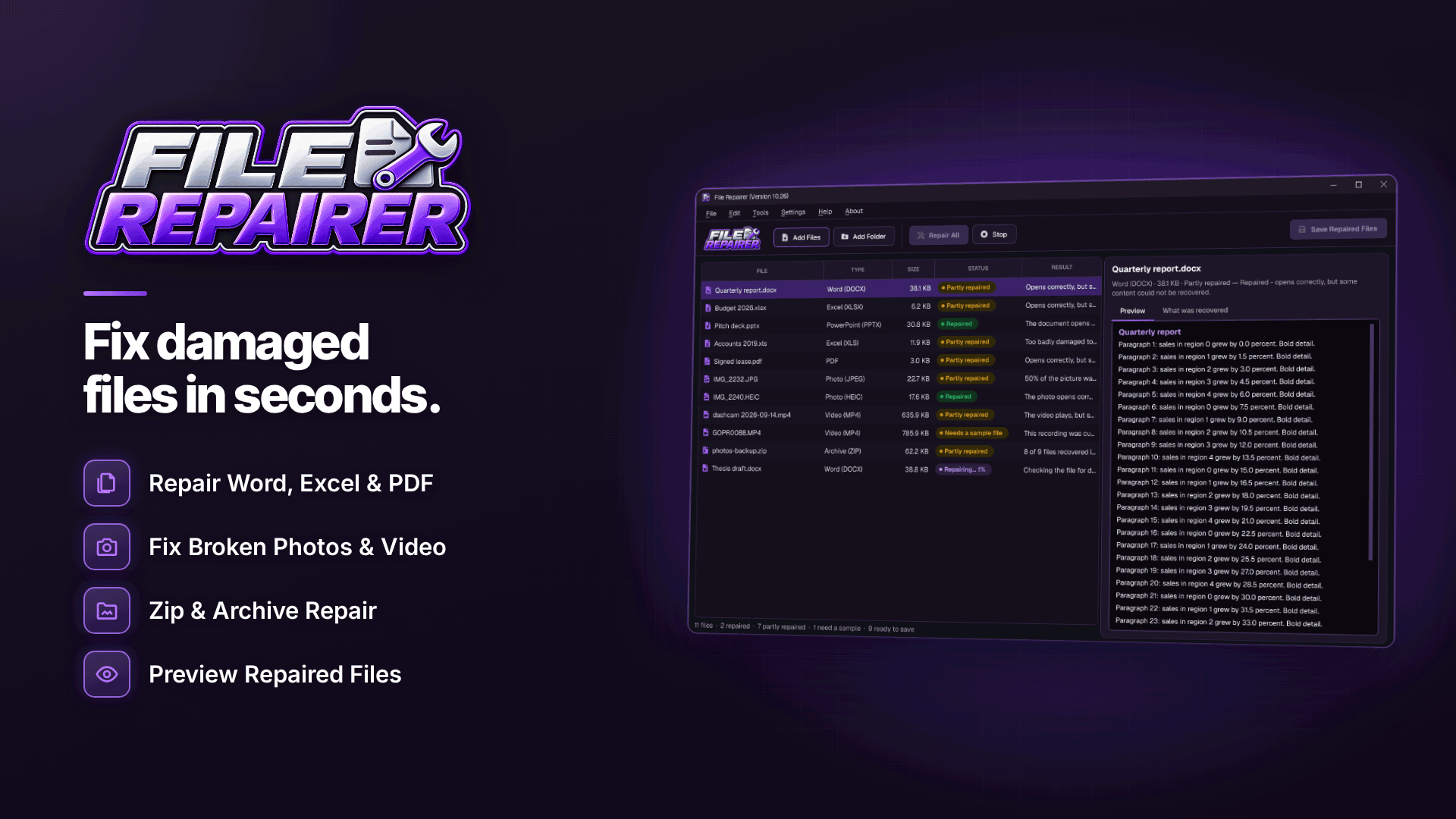
On a Windows 10 or 11 PC, File Repairer rebuilds damaged .xlsx files, recovering sheets, formulas, tables, formatting and text, and converts older .xls workbooks to the current format. Everything runs locally, so your earnings data isn't uploaded anywhere.
- Add the damaged workbook, or a whole folder of reports if a USB fault may have affected several.
- Run the repair and read the preview. It includes a plain-language summary of what was wrong and what was recovered.
- Check a few known numbers: last month's total from one network, a formula-driven EPC cell, the number of tabs.
- Save. Repaired copies are written with "(repaired)" in the name, leaving the original untouched.
If the file is too badly damaged to rebuild, the Extract Text & Data option pulls the readable text and data into a new file as a last resort, keeping spreadsheet formulas where it can. You may lose layout, charts and colours, but the numbers and logic are what you need to rebuild a report.
Checking the repaired report
A repaired workbook that opens isn't automatically correct. Before you rely on it for payouts or tax records:
- Compare totals with each network's dashboard for at least one recent month.
- Click into formula columns and confirm references point to the right cells and sheets.
- Look for #REF! errors, which suggest a referenced sheet or range didn't survive.
- Check date columns; damaged formatting can turn dates into plain numbers.
Differences between your sheet and the networks aren't always corruption, of course. Our guide to tracking discrepancies explains why numbers legitimately differ.
What repair can't recover
Repair works with what is still in the file. Data that was never saved, because Excel crashed before the save completed, or that has been overwritten, can't be restored; those results are marked "Partly repaired". Repair is also not data recovery: if the workbook was deleted or the drive is failing, you need a recovery tool or your backups.
How to stop it happening again
- Save working files on an internal drive or synced folder, not directly on a USB stick, and always eject sticks safely.
- Turn on AutoRecover (File > Options > Save) and set a short interval.
- Keep dated monthly copies, for example earnings-2026-09.xlsx, so one bad save never costs more than a month.
- Consider moving routine reporting into a proper dashboard fed by network exports or APIs, as described in our affiliate reporting dashboard guide.
Frequently asked questions
Can I recover formulas from a corrupted spreadsheet?
Often, yes. Excel's Extract Data option offers to recover formulas or values only, and dedicated repair tools can rebuild formulas along with the sheets. Always spot-check a few calculated cells afterwards.
Does it work on Google Sheets or CSV files?
Google Sheets keeps its own version history online, so use that instead. CSV files are plain text and can be opened in any text editor to see what survived.
Why does my file say the extension is not valid when it opened yesterday?
Usually because the last save was interrupted, or the file was copied incompletely to a stick or cloud folder. Try older versions or AutoRecover files before repairing.
Next steps
Once your stats are back, take ten minutes to set up AutoRecover, dated copies and a backup of your reports folder. For other utilities that keep a webmaster's business running, browse the webmaster software and services directory.
And if a workbook won't open again, start with Open and Repair on a copy, then let File Repairer rebuild it into a separate file you can check before you trust it.