If you are asking how do I keep track of domain expiry dates for all your sites, the reliable answer is one central list of every domain you own, with expiry dates pulled automatically from public registration data rather than typed in, and alerts that fire well before each date. Registrar reminder emails are a backup, not a system, especially once your domains are spread across several accounts.
This guide explains why expiry is a real risk for affiliate portfolios, what a good tracking setup looks like, and how to run one without relying on a spreadsheet you forget to update.
Why lapsed domains are a real risk for affiliates
When an affiliate site's domain expires, the damage is immediate: the site stops resolving, tracking links on it stop sending clicks, and email on the domain can stop too. If you don't notice, it gets worse. For generic top-level domains such as .com, a typical timeline after expiry looks like this:
| Stage | Typical length | What it means for you |
|---|---|---|
| Auto-renew grace period | Up to 45 days (registrar-dependent) | The registrar may still renew at the normal rate, but the site may already be offline |
| Redemption grace period | 30 days | Recoverable, usually with an extra restoration charge; the domain can't be transferred |
| Pending delete | 5 days | Can't be recovered; the name then drops and anyone can register it |
Country-code domains such as .de, .fr or .uk follow their own registry rules, so check each registry's policy. Expired domains with backlinks and traffic history are actively watched by drop-catchers, so a well-ranked affiliate site is exactly the kind of name that gets snapped up. If you ever plan to sell an affiliate website, a clean renewal record and secure domain are part of what a buyer checks.
Why domains lapse even when you mean to renew
- Expired payment cards on a registrar account, so auto-renew silently fails.
- Auto-renew switched off after a transfer or a one-off promotion.
- Reminders going to an old inbox, often an address on a domain you no longer use.
- Too many registrars: a portfolio built over years ends up in five accounts, each with its own login and renewal dates.
- Domains registered for a project that went quiet, then forgotten until a competitor owns them.
Is a domain tracking spreadsheet enough?
A spreadsheet is better than nothing. List every domain with its registrar, account login reference, expiry date, auto-renew status, nameservers, hosting and SSL expiry. The problem is upkeep: expiry dates move every time you renew, and nobody updates them reliably. A spreadsheet also can't warn you; you have to remember to look.
The minimum fields worth tracking, whatever tool you use:
- Domain, site purpose and owner (you, a partner company, a client)
- Registrar and which account holds it
- Expiry date and auto-renew on or off
- Nameservers and hosting
- SSL certificate expiry
- Annual renewal cost, so you can budget
Don't forget SSL certificate expiry
An expired SSL certificate doesn't take the domain away, but browsers show a full-page security warning and most visitors leave. Certificate lifetimes are getting shorter: under the CA/Browser Forum's schedule, the maximum validity of public TLS certificates fell to 200 days on 15 March 2026, drops to 100 days from 15 March 2027 and reaches 47 days by 2029. Automated renewal through your host handles most of this, but automation fails quietly when DNS or hosting changes, so track SSL expiry alongside domain expiry.
Setting up domain expiration alerts that work
The principle is simple: alerts at several intervals, sent somewhere you actually read, from a system that checks the real expiry date rather than the date you typed in last year. Since 28 January 2025, generic top-level domain registries and registrars have no longer been required to run the old WHOIS service, and RDAP is the main structured source for registration data, which makes automated lookups more consistent for gTLDs.
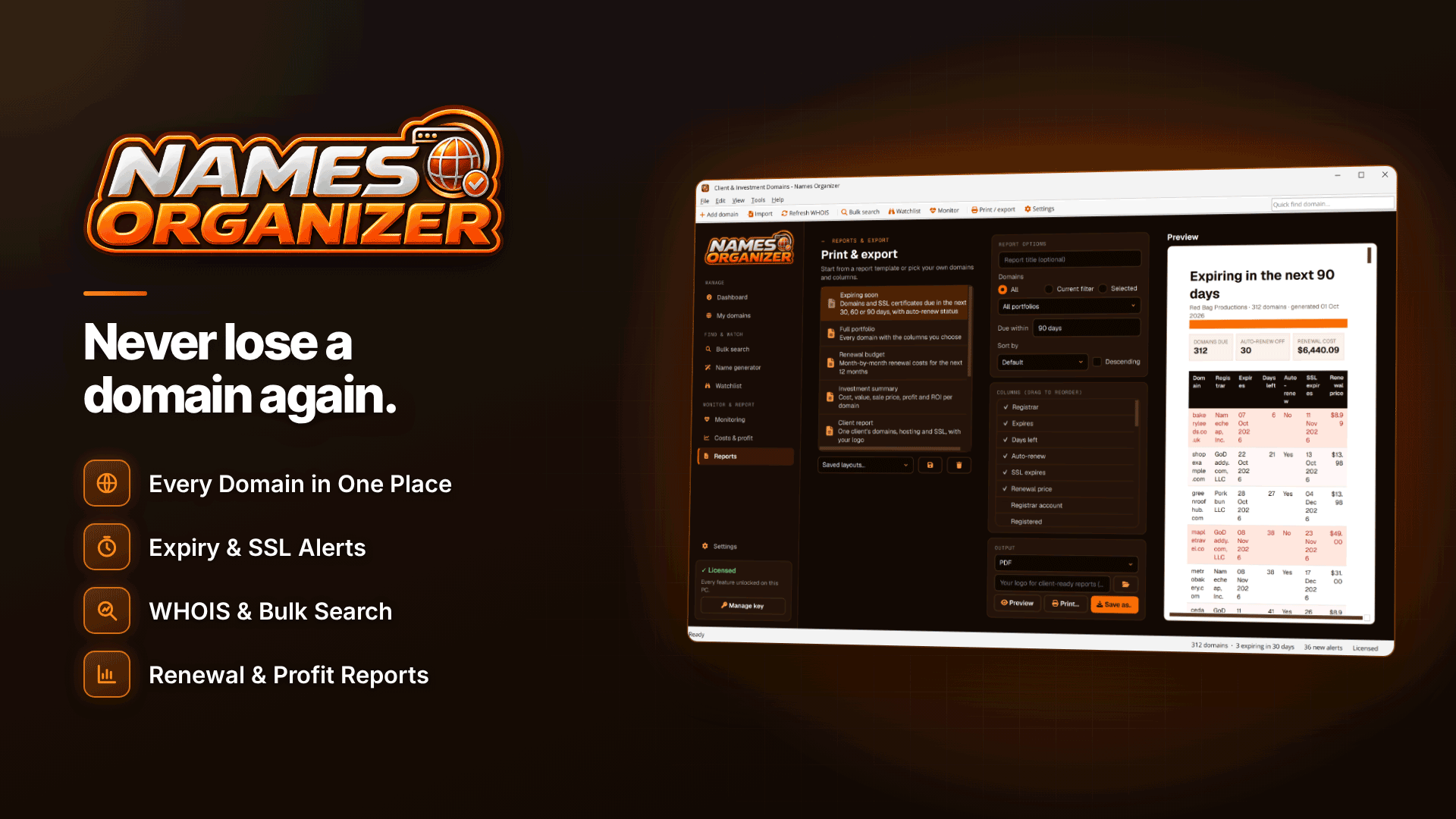
A Windows desktop app such as Names Organizer is built for this job. You import domains from most registrar CSV exports, Excel files or a pasted list (it remembers column mappings and detects duplicates), and it fills in registrar, dates, nameservers and other details by RDAP lookup with WHOIS fallback. Alerts appear on its dashboard, as desktop notifications and by email through your own SMTP server, at intervals you choose; the defaults are 90, 30 and 7 days for domains and 30, 14 and 7 days for SSL. Domains with auto-renew off are flagged, and filters show you everything expiring, expired, SSL-expiring or down at a glance.
Two points to be clear on. Names Organizer does not register, renew, transfer or change anything at your registrar; it tells you what needs doing and you renew in the registrar account. And email alerts only send while the app is running, in the system tray, so leave it running on a machine that is usually on, or check the dashboard regularly.
Planning a domain renewal budget
Once every domain is in one place, the renewal bill stops being a surprise. Record each domain's renewal cost and the tool's 12-month renewal budget shows what falls due when. You can also record purchase cost and value to see profit and ROI per domain, which helps with a decision many portfolio owners avoid: which names are worth keeping.
A simple annual review, using a clearly hypothetical portfolio of 40 domains:
- Sort by "site live and earning", "parked, planned" and "defensive".
- Keep everything earning, and every defensive registration that protects an earning brand.
- For parked names with no plan in 12 months, decide whether to let them go or list them for sale.
- Turn on auto-renew for keepers and confirm the card on each registrar account.
Managing multiple domain names across partners and clients
If you run sites with partners, or build sites for clients, record who owns each domain and which account it sits in. Tags, colour labels and client assignment keep the list readable, and report templates such as Expiring soon, Renewal budget and Client report can be exported to PDF, Word, Excel, CSV or HTML. Keep domains in an account you control; a domain registered in a freelancer's personal account is a business risk. Our guide to building a portfolio of affiliate websites covers the wider structure.
Frequently asked questions
Can I just rely on my registrar's reminder emails?
They help, but they go to whichever address is on the account, they cover only that registrar, and they are easy to filter as marketing. Treat them as a second layer behind your own central record.
Why does a lookup show "Unknown" for some domains?
Some country-code registries limit lookups or don't publish registration data through a public RDAP or WHOIS service, so automated tools can't always read the expiry date. Enter those dates manually from your registrar account.
How far ahead should I renew?
For earning sites, renew at least a month before expiry, or register for several years at once. That leaves time to fix a failed payment before anything goes offline.
Next steps
Start by exporting the domain list from every registrar account you have and combining them in one place; most people find at least one domain they had forgotten. If you are still choosing names for new projects, read how to choose a domain name for an affiliate site, and for tracking domains, see how to get alerts when DNS changes. Hosting options are in our adult web hosting directory.
Then import that combined list into Names Organizer, let it fill in the dates, and set alerts at intervals that give you time to act.