To restore a hacked website from backup, first lock the attacker out by changing every password and taking the site offline, then work out roughly when the hack started and pick a backup of both the files and the database from before that date. Wipe the infected files, upload the clean copy, import the clean database, update everything that was out of date, and only then bring the site back and ask Google to review it. The whole plan depends on having dated backups stored somewhere the attacker could not reach.
For an affiliate site, the damage is not just technical. Injected spam pages, redirects to dodgy offers or a browser warning can wipe out traffic and commissions within days. This guide sets out a calm order of work, what to do if you do not have a clean backup, and how to set up backups so the next restore is straightforward.
How do you know the site has been hacked?
- Visitors, especially on mobile, are redirected to unrelated sites.
- Google shows spammy titles or pages you did not create when you search site:yourdomain.com.
- Search Console reports a problem in the Security Issues report, or browsers show a "dangerous site" warning.
- Unknown admin users, new files in your web root, or recently modified core files.
- Your host suspends the account or reports malware or outbound spam.
- Affiliate links have been swapped for someone else's tracking IDs.
What should you do first?
- Take the site offline or into maintenance mode so visitors are not served malware or redirects.
- Change every password: hosting control panel, FTP/SFTP accounts, database users, CMS admin accounts and the email account tied to the domain. Turn on two-factor authentication wherever it is offered.
- Remove unknown users and keys from the CMS and the hosting account.
- Tell your host. They may have logs, malware scan results or a clean server-side backup.
- Keep a copy of the hacked site. Download the infected files and database before you clean anything. It helps you find out how they got in and when.
- Check whether personal data was exposed. If customer or subscriber data may have been accessed, you may have breach reporting duties; see our guide to data breach notification within 72 hours.
How do you choose a clean backup date?
The most common restore mistake is picking a backup that already contains the backdoor. Attackers often get in days or weeks before the visible damage appears.
- Look at file modification dates in the hacked copy: the earliest suspicious change is your starting point.
- Check server access logs for odd requests to admin or upload paths.
- Check when spam pages first appeared in Search Console or in your analytics.
- Pick a backup from comfortably before that date, then compare it with the hacked copy to confirm the malicious files are absent.
This is why dated versions matter. One backup that is overwritten every night is useless if last night's run copied the infection.
How do I restore my website from backup step by step?
- Wipe the web root. Delete the infected files rather than copying the backup over the top, which can leave attacker files in place.
- Upload the clean files over SFTP (or FTPS) from your chosen backup.
- Restore the database. Drop or empty the compromised database and import the clean .sql file, for example in phpMyAdmin.
- Update everything. Your clean backup still contains the vulnerability that let the attacker in. Update the CMS, themes and plugins, and remove anything unused or abandoned.
- Re-apply legitimate changes made since the backup date, such as new articles, carefully and by hand.
- Re-check credentials in config files, since you changed the database password earlier.
- Scan again and test key pages, forms and affiliate links before going live.
No clean backup? Ask your host for theirs, then consider a professional malware clean-up. Rebuilding by hand from a hacked copy is slow and easy to get wrong, and a missed backdoor means being hacked again.
How do you back up a website to your computer automatically?
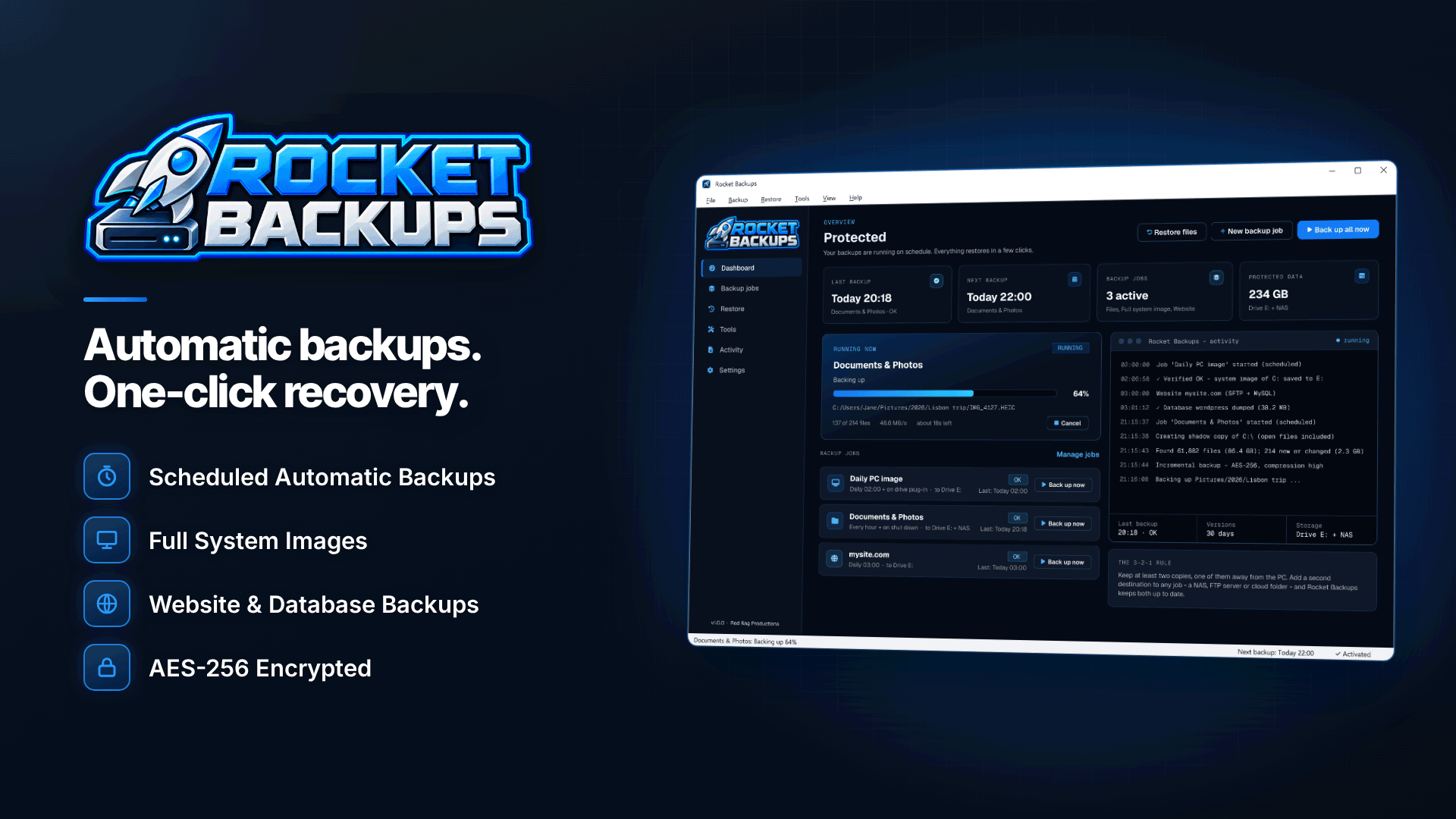
Many hosts offer backups, and cPanel can generate them, but backups stored on the same server or account can be deleted or infected along with the site. A copy on your own storage, pulled on a schedule, gives you an independent set of dated restore points. On a Windows PC, Rocket Backups can do this as a scheduled job alongside your normal PC backups:
- Site files over SFTP, FTPS or FTP plus MySQL databases, on a schedule such as nightly, kept as dated versions.
- Your own destinations: an external USB drive, a second internal drive, a NAS, an FTP or SFTP server, or a cloud sync folder (OneDrive, Dropbox, Google Drive, iCloud, Box), with the option of a second location for each backup.
- Retention rules that keep daily, weekly and monthly versions or a fixed count, so you have restore points from weeks back, not just yesterday.
- AES-256 encryption with your own password, which matters because site backups contain database credentials and often personal data.
- Verification after every run and email alerts for failed jobs, missing drives or low space, so a broken backup does not go unnoticed for months.
- Timeline restore, letting you browse or search backups and view all versions of a single file, which makes it much easier to find the last clean copy of, say, a theme's functions.php.
Be clear about the division of labour: Rocket Backups gets clean, dated copies of your files and database onto your own storage and lets you restore them to a folder on your PC. Putting the site back on the server (uploading the files and importing the .sql) is still a manual step, as above. Scheduled jobs also need the PC to be on; missed backups run when it is next switched on. The software runs on 64-bit Windows 10 (version 1809 or later) and Windows 11. Prefer SFTP or FTPS to plain FTP for the connection, so credentials are not sent unencrypted.
How do you recover your rankings after a hack?
- Use Search Console. Open the Security Issues report, fix every listed issue across the whole site, then request a review explaining what was wrong and what you did. Google says reviews for hacked content and malware can take from a few days to a few weeks.
- Clear spam URLs. Make sure injected pages now return 404 or 410, and do not redirect them to your homepage.
- Resubmit your sitemap and check that it lists only your real pages.
- Check for cloaked content by fetching pages with the URL Inspection tool, since some hacks only show spam to search engines.
- Audit outbound and affiliate links for swapped tracking IDs.
- Watch traffic for a few weeks. If rankings do not return after the security issue is cleared, work through the wider checks in our guide to diagnosing a traffic drop.
How do you stop it happening again?
- Keep the CMS, themes and plugins updated, and remove what you do not use.
- Use unique passwords and two-factor authentication for every admin and hosting login.
- Choose hosting that takes security seriously; see our guide to adult-friendly web hosting and the adult web hosting directory.
- Test a restore to a staging copy every few months so you know the process works.
- Build security checks into your routine reviews with our affiliate site audit checklist, and keep an eye on server and HTTPS basics covered in technical SEO for adult sites.
Frequently asked questions
Can I just restore last night's backup?
Only if you are sure the site was clean last night. Attackers often get in well before the visible damage, so check file dates and logs and choose a backup from before the first suspicious change.
Should I restore the database as well as the files?
Usually yes. Many hacks inject spam links, admin users or scripts into the database, so restoring files alone can leave the infection in place.
How often should an affiliate site be backed up?
Match it to how often the site changes. A site that publishes daily needs at least nightly backups with several weeks of versions; a static site may need only weekly ones.
Will Google penalise my site permanently?
Security warnings are removed once Google's review confirms the problem is fixed. Rankings usually recover after the spam is cleaned up, though it can take time to recrawl.
Next steps
If your site is clean today, now is the time to set up independent backups so you are never left without a restore point. Schedule nightly copies of your site files and MySQL database to your own encrypted storage with Rocket Backups, and test a restore to a staging copy this month.