
The safest way to send KYC documents is through the program's or processor's own secure upload portal. If they ask you to email documents instead, send them inside an encrypted file (an AES-256 encrypted package or ZIP), ideally with an expiry date, and give the password by a different channel such as a phone call or text. Never attach a plain passport scan to an ordinary email.
Email is convenient but it leaves copies everywhere: your sent folder, the recipient's inbox, their colleagues' forwards and backups. Encryption means those copies are useless to anyone without the password.
Why affiliate programs ask for passport copies
Affiliate networks, payment processors, e-wallets and banks have anti-money laundering and fraud obligations, so they verify who they are paying. Expect requests for:
- a passport or national ID card;
- proof of address, such as a recent bank statement or utility bill;
- company documents: certificate of incorporation, register of directors or shareholders;
- tax forms and bank details for payouts.
Our guide to affiliate payout KYC explains what each document is for and why the checks are getting stricter. Before you send anything, confirm the request is genuine: check the email domain, log in to your affiliate dashboard directly rather than clicking links, and call or message your affiliate manager if anything looks off. Fake KYC requests are a known phishing tactic.
Your options, from safest to riskiest
| Method | Security | Notes |
|---|---|---|
| Program's secure upload portal | High | Use it whenever one exists |
| Encrypted package with expiry | High | Recipient needs only a browser and the password |
| AES-256 encrypted ZIP | Good | Opens in common archive tools |
| Password-protected PDF | Moderate | Depends on the encryption used |
| Plain email attachment | Low | Avoid for identity documents |
How to send encrypted files by email
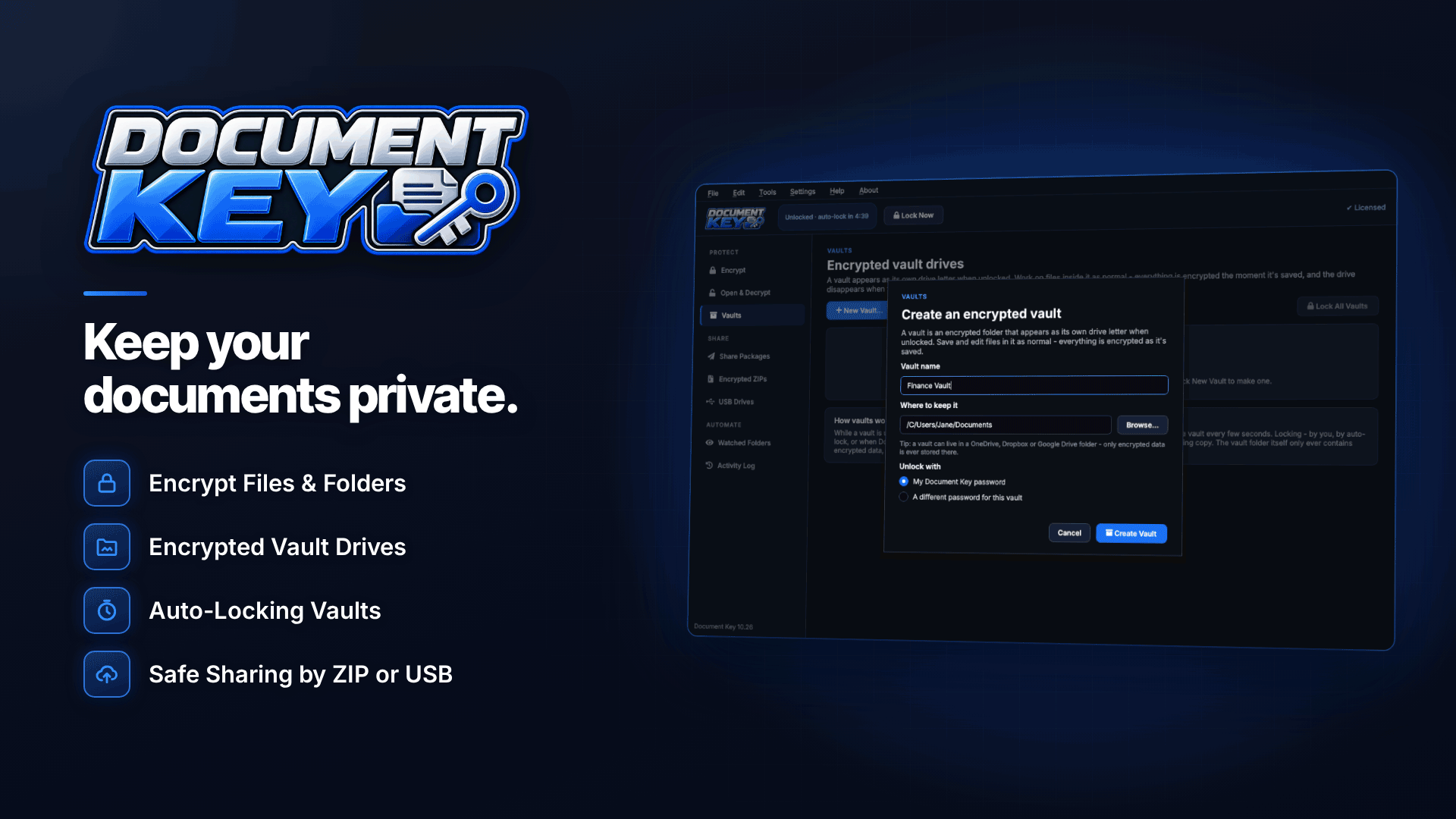
If email is the only route the program offers, encrypt before you attach. On Windows, Document Key gives you two practical ways to do it, both processed locally on your PC with no account or cloud service.
Option 1: a self-opening sharing package
This bundles your files into an AES-256 encrypted package that can open in a web browser with the password. The recipient does not need the same software installed, which avoids the "we can't open this" back-and-forth with a busy compliance team.
- Select your passport scan, proof of address and any company documents.
- Create a secure sharing package and choose the self-opening option.
- Set an optional expiry date, for example 14 or 30 days.
- Attach the package to your email, or share it via a cloud link if it is too large for email.
- Send the password separately.
Option 2: an encrypted ZIP
Some compliance teams prefer a standard archive. The tool can create AES-256 encrypted ZIP files that open in 7-Zip, WinZip, WinRAR and most archive tools. Check that the recipient can handle AES-encrypted ZIPs; older built-in tools may not.
Sending a file with an expiration date
Expiry is useful for KYC because the recipient only needs your documents long enough to verify you. After the date passes, the package can no longer be opened, so a forgotten email in someone's archive stops being a liability.
Expiry is not a recall button. It limits future access to the package only. If the recipient has already opened it and saved or extracted your documents, those copies stay with them. Expiry protects against forgotten emails, not against the recipient's own storage practices.
That is why it is still reasonable to ask the program how long they keep KYC documents and where. Under UK GDPR and EU GDPR, they should be able to tell you.
How to send a password securely
Encryption is only as strong as the way you share the password. The rule is simple: never send the password in the same email, or even the same email thread, as the file.
- Phone call to a number you already know, or one listed in your affiliate dashboard.
- SMS or a messaging app your affiliate manager already uses with you.
- A different email account only if nothing else is available.
Use a long, random password for each package rather than a reused one. A password generator helps, and Document Key's strength meter shows whether you have gone far enough.
Building a reusable KYC pack
If you work with several programs, you will be asked for the same documents again and again. Preparing them once saves time and reduces the temptation to cut corners when a payout is waiting.
- Scan cleanly. Capture the full document, all four corners visible, with no glare. Rejected scans mean resending, which means more copies in circulation.
- Check dates. Many programs want proof of address issued within the last few months, so note when yours goes stale.
- Keep company documents current. If you trade through a company, download a fresh extract of your company details after any change of director or address.
- Store the pack encrypted in a vault or encrypted folder, never loose on the desktop.
- Create a fresh package for each request, with its own password and expiry, rather than reusing one package for every program.
- Log what you sent: which program, which documents, which date. If one program has a breach, you know exactly what was exposed.
Common KYC sending mistakes
- Replying to a phishing email that impersonates a network's compliance team.
- Sending the same unencrypted passport scan to every program you join.
- Putting the password in the email body "for convenience".
- Sending documents to a personal email address of an affiliate manager.
- Leaving the plain originals in Downloads after creating the encrypted package.
Keep your own copies encrypted too. The same tool's vault drives and secure delete help with that, and our guide to encrypting files that contain personal data covers storage in more depth.
Frequently asked questions
Is it safe to email a passport copy?
Not as a plain attachment. Use the program's upload portal or send the copy inside an encrypted package or ZIP, with the password sent separately.
Can I watermark my ID before sending it?
Many people add a line such as "For KYC with [program] only, October 2026" to make misuse harder. Check first that the program will accept a watermarked copy, as some verification checks reject altered images.
What if my payment processor or e-wallet asks for documents?
The same rules apply. Use their verified app or website, not an emailed link. For more on choosing providers, see our guides to e-wallets for affiliates and high-risk merchant accounts.
Next steps
Check whether each of your programs has a secure upload portal, and keep a ready-made encrypted KYC package for the ones that do not. You can compare processors in our payment processors directory. To create self-opening encrypted packages with expiry dates, or AES-256 ZIPs, on your own PC, try Document Key.


