
How do you upload videos to multiple tube sites at once? Set up an account on each site, prepare one master title, description, tag list and link, then use a bulk video submission tool that signs in to each site, fills in its upload form with a varied version of your text and tracks the result. Manually, the same job means repeating every form on every site, which is where most of the hours go.
This guide covers what you need in place first, how to make each upload unique, the rules on links and licensing, and a step-by-step workflow for submitting one clip to several tubes in a single run.
Why submit videos to tube sites for traffic?
Tube sites have enormous audiences and their own internal search, so a well-labelled clip can keep sending visitors for months. For affiliates and webmasters, the usual goal is to place sponsor-approved trailers or clips with a link back to your site or affiliate landing page. Understanding how tube sites make money helps here: they want engaging, compliant content that keeps users on the site, and they set link rules accordingly.
What do you need before you start?
- Permission to distribute the clip. If it is sponsor content, check the program's terms. Many VOD and paysite affiliate programs supply trailers specifically for tube promotion, but some restrict which sites you can use or require their watermark to stay.
- Your own verified account on each site. Many large adult tube sites only accept uploads from verified uploaders and expect documented consent and age records for everyone who appears. Read each site's uploader terms.
- A correctly encoded file. Check each site's accepted formats and size limits. Our guide to encoding videos for tube sites covers the settings.
- A destination worth clicking to. A fast, relevant landing page converts tube traffic far better than a generic home page.
Why each upload needs its own title and description
Posting identical metadata everywhere is a missed opportunity. Each tube has its own search and its own audience, and some sites treat duplicated text as low effort. Varying titles, descriptions and tags lets you target different phrasings, and it makes your uploads look less like automated spam. Our guide to video SEO for adult and tube sites explains how titles, tags and thumbnails affect visibility.
Spintax is the practical way to do this at scale. You write alternatives inside braces, for example {Sunset|Golden hour} beach walk, and each site receives a different combination.
How do you add a link to the video description?
Link policies vary widely: some tubes allow a link in the description, some only on verified or partner channels, and some forbid outbound links entirely. Breaking the rules risks removal or account suspension. Good practice:
- Check each site's link policy and note it alongside your login.
- Use a tracked link per site so you can see which tubes actually send buyers.
- Never disguise links or use misleading text to get them past the rules.
Which tube sites should you submit to?
More sites is not automatically better. A short list of tubes that suit your niche, allow your kind of link and have an audience in your target countries will outperform a long list of sites that delete your uploads. When you evaluate a tube, look at:
- Uploader requirements: verification, consent documentation and any partner or channel programmes.
- Link policy: whether description links are allowed, and for which account types.
- Review process: how long uploads sit in moderation and how often they are rejected.
- Audience fit: the niches and languages that perform there.
- File rules: accepted formats, maximum size and length.
Keep these notes per site; they become the basis of your submission profiles.
How to upload videos to multiple tube sites at once, step by step
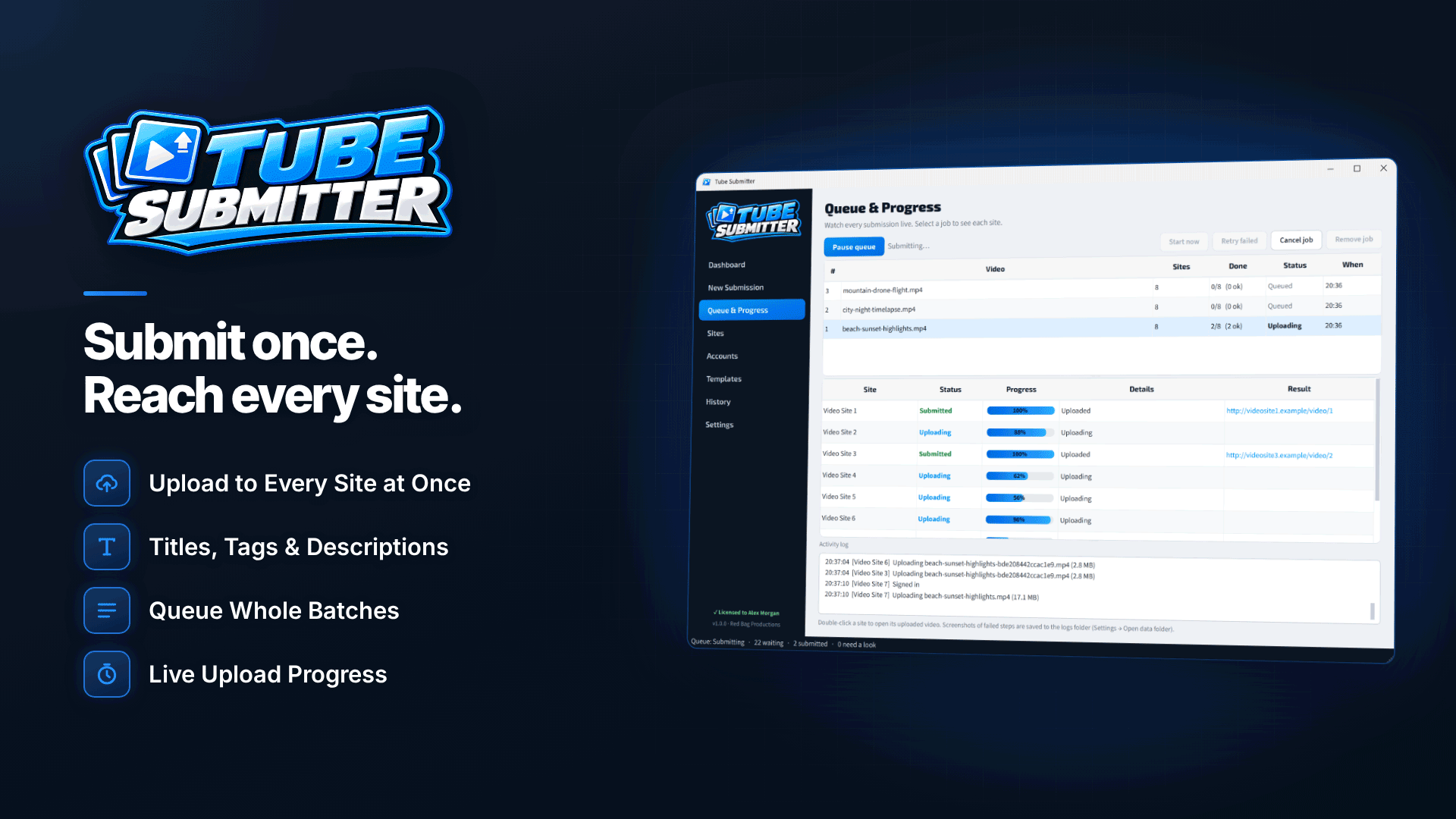
A tube site uploader takes over the repetitive part. Tube Submitter is Windows software for bulk uploading to tube sites: you enter the title, description, tags and link once, and it signs in to each site, fills in the upload form and tracks each submission in the background. A typical workflow:
- Save your logins. Add each site's credentials, test the sign-in and keep notes. Logins are encrypted with a Windows-protected key stored only on your PC. The tool can also open each site's sign-up page if you still need an account.
- Create a submission profile. Save the set of target sites for a campaign, such as "EU tubes for sponsor A", and reuse it across jobs.
- Write templates. Build reusable templates for titles, descriptions, tags, links and categories, with spintax and placeholders such as [link], [site], [date] and [filename]. Preview the variations before you submit.
- Place your link. Choose whether the link goes at the start or end of the description, or at a [link] tag. On sites that disallow links, it is removed automatically.
- Add videos. Add several files or a whole folder; each video becomes its own job. Supported formats include MP4, MOV, MKV, WebM, AVI and WMV among others.
- Set concurrency and timing. Upload to one to six sites at once, start now or at a set date and time, and add spacing between videos and random pauses between sites.
- Submit and monitor. The live queue shows progress, and each submission is marked uploaded, pending site review, action needed or queued.
In Tube Submitter, titles, descriptions and tags are trimmed to each site's limits while keeping your link, and if a site needs a different format or a thumbnail, the tool converts the file or creates a thumbnail from the video only for that site.
CAPTCHAs are on you. When a site shows a CAPTCHA, the upload pauses and a visible browser window opens for you to complete it. CAPTCHAs are never solved automatically, and if nobody responds within 15 minutes that site is skipped.
Scheduling, retries and keeping records
Uploads fail for ordinary reasons: a timeout, a site under maintenance, a changed form. Failed uploads can be retried automatically up to five times or set to retry later, and failed browser steps save a screenshot so you can see what went wrong. The program runs from the system tray, the queue resumes after a restart, and notifications tell you when jobs finish or a site needs attention.
A searchable submission history, exportable to CSV, gives you a record of what went where and when. That is useful for reporting to sponsors and essential if you ever need to find and remove a clip quickly.
Manual uploads vs a bulk uploader
| Manual | Bulk uploader | |
|---|---|---|
| Metadata | Typed or pasted into each form | Written once, varied per site with spintax |
| Links | Added by hand, easy to forget or misplace | Inserted automatically, removed where not allowed |
| Timing | Whenever you are at the keyboard | Scheduled, with spacing between uploads |
| Records | Spreadsheet if you remember | Searchable history with CSV export |
| CAPTCHAs and site changes | Handled as you go | Still need you: CAPTCHAs are manual and changed sites need updated definitions |
Common mistakes with bulk video submission
- Uploading content you are not licensed to distribute. Always check sponsor terms first.
- Flooding a site. Dozens of uploads in minutes look like spam. Space them out.
- One link for every site. Without per-site tracking you cannot tell which tubes earn.
- Ignoring review queues. Many sites review uploads before they go live; a "pending" status is normal, not a failure.
- Forgetting that sites change. When a tube redesigns its upload page, the site definition may need updating before it works again.
Frequently asked questions
Do I need an account on every tube site?
Yes. Uploads go through your own account on each site, under that site's rules.
Can I add tube sites that are not built in?
Yes. Site definitions are editable: you can add custom sites, duplicate, import, export, enable or disable definitions, using either browser-driven or direct form-post upload methods.
Does it edit or host videos?
No. It submits your existing files and only converts the format when a site requires it.
Next steps
Pick three tubes whose rules suit your sponsor, set up verified accounts and run a single test clip before building a full campaign. Compare more places to send clips in our traffic sources directory, or see how Tube Submitter handles multi-site submission and tracking.


