How do I make all product images the same size? Pick one canvas size and shape for each layout (say a 1:1 square for comparison tables and grids), then batch process every image to that canvas, fitting each product inside it with padding rather than stretching or cropping it. Easy Thumbnailer is a Windows tool that does exactly this for whole folders at once, adding a watermark if you want one, and that makes it a good fit for toy and wellness review sites.
This article looks at the problem first, then at what the software does well, where its limits are and how to set up a workflow that keeps your grids tidy.
Why do product images look messy on review sites?
If you review adult toys and wellness products, your images come from everywhere: merchant affiliate feeds, brand press packs, your own test photos and the occasional supplier email. Each source uses a different size, shape and background. Drop them into a comparison table and the rows jump about, some products look huge and others tiny, and the page feels less trustworthy than a retailer's.
Consistency matters for more than looks. A neat comparison table is easier to scan, which helps readers reach a decision and click through. Fixed image shapes also reduce layout shift as the page loads. Our guide to building an adult review site that earns trust explains why presentation matters so much in this niche.
What does "uniform" actually mean for product images?
- Same canvas size and shape for every image in the same layout, for example 800 x 800 px squares.
- Product fitted, not stretched, with the whole item visible and space filled by padding.
- Consistent background, ideally white or a single brand colour.
- Similar brightness and contrast so own-shot photos do not look dull next to studio shots.
- Consistent naming so you can match files to products quickly.
How to resize product photos in bulk: a five-step workflow
- Gather sources into folders by merchant or product category, keeping originals separate.
- Decide your canvases. One for grids and tables, perhaps a larger one for review pages.
- Fit with padding in your background colour rather than cropping, so tall and wide products both stay whole.
- Add a light watermark to your own photos if you want to discourage scraping.
- Export to WebP for speed, and check the results in the actual table before publishing.
A worked example: one comparison table, three image sources
Imagine (as a hypothetical) a "best quiet massagers" table with eight products. Three images come from a merchant feed as 1,500 x 1,000 px landscapes on white, two are tall 600 x 1,200 px press shots on grey, and three are your own phone photos on a kitchen worktop. Set one output of 800 x 800 px, fit each product inside it with white padding, lift brightness slightly on the phone shots and export to WebP. Every cell in the table now shows a whole product at a similar visual size, the row heights stay fixed, and your own photos no longer look like the odd ones out. If the grey press shots still stand out, that is a sign to ask the brand for a version on white rather than to crop harder.
Check image rights first: merchant and brand images are usually supplied under the affiliate programme's terms. Some programmes forbid editing, cropping or watermarking their images, so read the terms before you add your logo to anything you did not shoot yourself.
How Easy Thumbnailer handles uniform product images
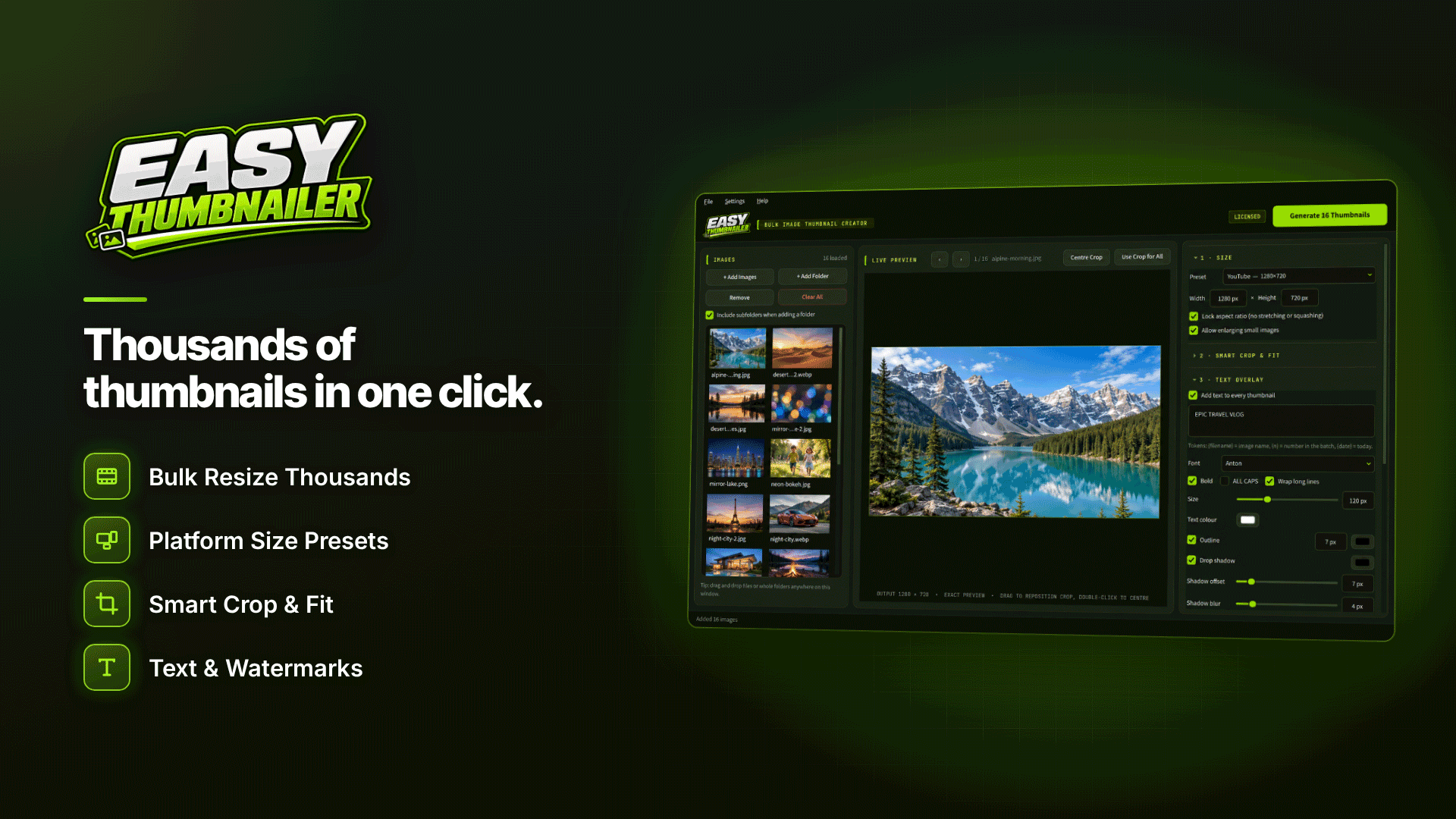
The software is a batch thumbnail generator and image resizer for Windows 10 (version 1809 or later) and Windows 11, 64-bit. You add single images or whole folders, including sub-folders, and it writes new, sized copies in one offline run while leaving your originals unchanged. For a review site, the useful parts are:
- Fixed sizes: custom width and height from 16 to 10,000 px with an aspect-ratio lock, or crop to 1:1, 4:3, 16:9 or 9:16.
- Fit with padding: instead of cropping, pad with a solid colour, a blurred copy of the image or transparency (transparency for PNG and WebP output).
- Repositioning: where you do crop, drag to reposition or use smart focus.
- Watermark: a logo or watermark with adjustable size, position, opacity and margin.
- Light corrections: brightness, contrast, saturation and sharpening to bring own-shot photos closer to studio images.
- Output: JPG, PNG or WebP with a quality slider, prefix or suffix naming, and a choice to keep both, overwrite or skip existing files.
It accepts a wide range of inputs, including JPG, PNG, WebP, TIFF, HEIC, AVIF and PSD, which helps when press packs arrive as layered or high-resolution files. You can see the full feature list on the Easy Thumbnailer website. Batches are multi-threaded, a live preview uses the same code that writes the files, and a list at the end flags any files it could not process.
What are the honest limits?
- Windows only: it needs Windows 10 (1809 or later) or Windows 11, 64-bit. There is no Mac version listed.
- Still images only: it does not take frames from video. Animated GIFs and multi-page TIFFs use only the first frame or page.
- Activation needed: you can explore the settings first, but generating files requires an activated key.
- Not a background remover: it pads and fits images; it does not cut products out of busy backgrounds.
It also does not copy EXIF or GPS data into the output files, which is handy if you photograph test products at home.
Tips for toy and wellness affiliates
- Use the same canvas for every product in a category so comparison tables line up.
- Keep padding colour identical to your table or card background to make products look cut out.
- Name outputs with a suffix such as "-grid" or "-review" so sizes never get mixed up.
- Keep product imagery tasteful and non-explicit; it is a retail image, not content.
- Pair tidy images with strong copy; our guide to writing affiliate reviews that rank covers the words.
Frequently asked questions
Can I watermark merchant images?
Only if the programme's terms allow it. Many affiliate programmes supply images on the condition that they are used unaltered, so watermark your own photography and check before editing anything else.
What size should product images be for a comparison table?
Measure the space your table gives each image and export at about twice that width for sharp results on high-density screens. Square canvases are the easiest to keep consistent.
Does it handle thousands of images?
The developer says it handles thousands of images in one run, with no stated upper limit. Larger batches simply take longer, and multi-threading helps on modern PCs.
Next steps
Once your images are consistent, focus on the offers behind them. Compare programmes in our toys and wellness affiliate programmes directory and read our guide to adult toy affiliate programs. If mismatched product photos are holding your tables back, see what Easy Thumbnailer can do with your next batch.